TL;DR
- The 7 signs your website needs a redesign: it looks outdated, it’s not mobile-friendly, it loads slowly, visitors leave quickly, you can’t update it yourself, it has no security certificate, or it doesn’t reflect your current brand.
- The 3 signs it DOESN’T need a redesign: it still gets leads, the content is still accurate, and the only problem is you’re “tired of it” (that’s not a reason to spend thousands).
- A redesign is an investment, not a refresh. Before spending money, identify which specific problems a redesign would solve — not just “it looks old.”
- The most expensive redesign is the one you don’t need. The second most expensive is the one you do need but keep putting off.
“A colleague looks at your website and says “you should really update this.” Or you look at a competitor’s new site and suddenly yours feels old. Or your niece, who “knows about websites,” tells you it looks “so 2015.” But does it actually need a redesign, or do you just feel embarrassed when you look at it? Feeling outdated and being outdated are different things — and the difference matters when you’re about to spend money.
The 7 Signs Your Website Needs a Redesign
Sign 1: It’s not mobile-friendly
What it looks like: You open your website on your phone and you have to pinch, zoom, and scroll sideways to read anything. Text is tiny. Buttons are too small to tap. Menus don’t work on touchscreens.
Why it matters: Over 60% of web traffic comes from phones. Google uses mobile-first indexing — it looks at the phone version of your site first when deciding where to rank you. A site that’s hard to use on a phone is invisible to most of your potential customers.
This is a “must fix” sign. A non-mobile-friendly site in 2026 is a broken website. If your site doesn’t work on phones, this alone justifies a redesign.
Sign 2: It loads slowly
What it looks like: You type your URL and wait. And wait. The page loads piece by piece. On your phone, it’s even worse.
Why it matters: 53% of mobile visitors leave if a page takes more than 3 seconds. Slow load means lost customers. And Google pushes slow sites down in search results.
Is it a redesign issue or a fix issue? Sometimes speed can be fixed without a full redesign — compressing images, removing unnecessary add-ons. But if the underlying technology is inherently slow, a redesign with faster technology is the real fix.
Related: Your Slow Website Is Losing You Customers — how to check your speed and what actually makes websites fast.
Sign 3: You can’t update it yourself
What it looks like: Every time you want to change a phone number, add a service, or fix a typo, you have to call your developer and pay them. Or you have access but the system is so complicated you’re afraid of breaking something.
Why it matters: Your website should be a living document, not a museum piece. If you can’t update basic information without paying someone, you’re either letting it go stale or paying unnecessary maintenance fees.
Is it a redesign issue? Sometimes. If the content management system is the problem, a redesign with a simpler approach may help. But if you just need a phone number changed, that’s a 5-minute fix, not a redesign.
Sign 4: Visitors leave immediately
What it looks like: You can see in your analytics that people land on your site and leave within seconds — they don’t click to any other page, don’t fill out a form, don’t call.
Why it matters: When visitors leave immediately, it means they aren’t finding what they expected. This could be a design problem (the site looks untrustworthy), a content problem (the words don’t answer their question), or a speed problem (the page didn’t load fast enough).
Is it a redesign issue? Maybe. If the content is good but the design makes people leave, yes. If the design is fine but the content is wrong, a content rewrite — not a redesign — is the fix.
Related: What Should Your Website Say to Get Customers? — if visitors leave, the words might be the problem, not the design.
Sign 5: No security certificate (the “Not Secure” warning)
What it looks like: Your website URL starts with http:// instead of https://. Visitors see a “Not Secure” warning in their browser.
Why it matters: Browsers flag non-HTTPS sites as unsafe, which scares visitors away. A site without a security certificate in 2026 looks unprofessional and untrustworthy.
Is it a redesign issue? No — this is a fix, not a redesign. Security certificates are free through services like Let’s Encrypt or Cloudflare. Don’t use this sign alone to justify a full redesign — just fix it.
Related: Why Google Says Your Website Is ‘Not Secure’ — what the warning means and how to fix it for free in 10 minutes.
Sign 6: It doesn’t reflect your current brand
What it looks like: You’ve evolved — new services, new branding, a different target audience — but your website still shows the old version. Or you’ve rebranded with a new logo, new colors, or a new name, but the website still has the old look.
Why it matters: Your website is often the first impression. If it shows a version of what you do that no longer exists, visitors get confused or misled. “Wait, I thought you did X?” “We used to, but we don’t anymore.”
Is it a redesign issue? Yes. When what you do has genuinely changed, your website must reflect the current reality.
Sign 7: It was built before 2020
What it looks like: The design uses outdated trends — stock photos of handshakes, gradient buttons, tiny fonts, “scroll for more” on everything. It looks like every other website from 2015.
Why it matters: Design standards evolve. What looked modern in 2018 looks dated in 2026. Visitors subconsciously judge professionalism based on your website’s appearance.
Is it always a redesign issue? No. If the site works well, loads fast, and gets leads, “it looks old” alone isn’t sufficient reason. But if it looks old AND has other problems from this list, it’s time.
The 3 Signs It DOESN’T Need a Redesign
Sign 1: It still gets leads and customers
If your phone rings, your form gets submissions, and customers find you through your website — it’s working. A website that generates leads is not “broken” just because it doesn’t look trendy.
The question isn’t “does it look modern?” — it’s “does it make me money?” If yes, redesigning it is a luxury, not a necessity. Spend the money on marketing or inventory instead.
Sign 2: The content is still accurate
If your services, prices, location, and contact information are all correct, and your content still reflects what you do — the foundation is solid. You may need a visual refresh, not a full rebuild.
Consider a “refresh” (new photos, updated colors, cleaner layout) instead of a “redesign” (new architecture, new pages, new technology). A refresh costs a fraction of a redesign.
Sign 3: You’re just “tired of it”
“I’ve had this website for 3 years and I’m bored with it” is not a reason to spend $3,000–$5,000. Your customers don’t look at your website every day — they see it for the first time when they search for your service. What feels “old” to you is new to them.
If the only problem is your own boredom, invest in new content — blog posts, updated photos, refreshed testimonials — rather than a full redesign.
Redesign vs. Refresh vs. Fix
Before you spend money, know which one you actually need.
Fix ($0–$500): Specific problems — add a security certificate, compress images, fix broken links, update content. No design changes. Like repairing a leaky faucet.
Refresh ($500–$1,500): Update the visual layer — new photos, modern colors, cleaner layout, updated fonts. Same pages, same structure, same technology. Like repainting a room.
Redesign ($1,500–$5,000+): New architecture, new pages, new technology, new design. Like tearing down and rebuilding.
Related: How Much Does a Website Cost in 2026? — the full cost breakdown.
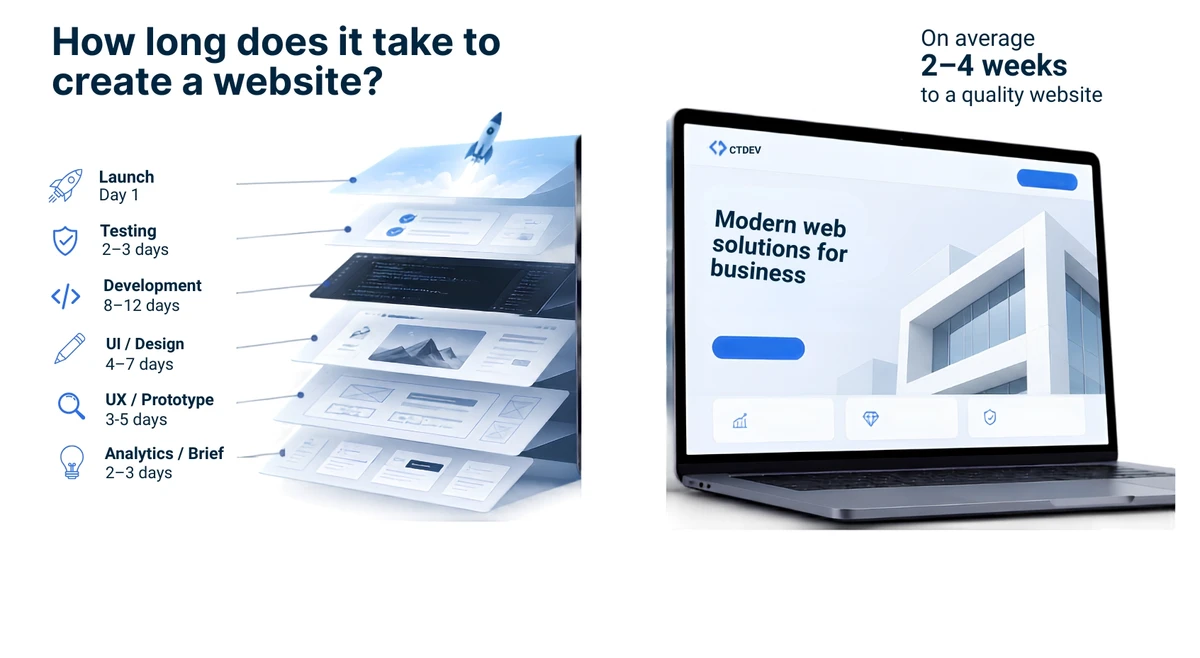
Related: How Long Does It Take to Build a Website? — what to expect timeline-wise.
The decision: Start with what problems you’re trying to solve. If it’s one or two specific issues, a fix or refresh may be enough. If it’s 4 or more signs from the list above, a redesign is justified.
30-Second Redesign Test
Before you call a developer, check these five things:
- My website works on my phone (no pinching, zooming, or sideways scrolling)
- My website loads in under 3 seconds
- I can update basic information without calling my developer
- My website accurately reflects my current services and branding
- My website still generates leads or customer inquiries
If you checked all five, you don’t need a redesign — you need fresh content. If you checked “no” on 4 or more, it’s time.
FAQ
How often should you redesign your website?
There’s no fixed rule — “every 3 years” is a myth spread by agencies that want your money. The real answer: when it stops working. If your site is getting leads, loading fast, and reflecting what you currently do, it doesn’t need a redesign regardless of age. If it has 4 or more of the signs above, it’s time. Most websites need a refresh every 2–3 years and a full redesign every 5–7 years, but those are averages, not rules.
How much does a website redesign cost?
A redesign typically costs the same as building a new website: $1,500–$5,000 for a site, depending on the number of pages and features. If the redesign includes migrating to new technology (e.g., from WordPress to a faster platform), it may cost more but save on monthly maintenance going forward.
Related: How Much Does a Website Cost in 2026? — the full cost guide.
Can I redesign my website myself?
You can refresh it yourself — new photos, updated text — using your existing platform’s tools. A full redesign with new pages, new technology, and new architecture requires a developer. If you’re on Wix or Squarespace, you can change templates, but you’re limited by the platform. If you want a fundamentally different site, you need professional help.
Related: Wix vs Squarespace vs Hiring a Developer — when DIY works and when it doesn’t.
Will a redesign improve my Google rankings?
Not automatically — and a badly done redesign can actually hurt your rankings if URLs change, content is removed, or the new site is slower. A good redesign should maintain or improve your search presence: keep your existing content, improve page speed, fix mobile issues, and make sure old pages redirect to the new ones. If search rankings are your main goal, tell your developer upfront so they plan for it.
Related: Why Your Website Isn’t on Google — the foundations of search visibility.
Bottom Line
A website redesign is justified when it solves specific problems — not when you’re bored with the design. Identify the signs, try a fix or refresh first, and only redesign when the foundation itself is broken.
Think you need a redesign? We’ll assess your current site honestly — and tell you if a refresh would do the job instead. Get a quote →
Know you need a redesign? See our design process →