TL;DR
- Most people hate writing — and it’s the number one thing that delays website projects. ChatGPT can write your About page, service descriptions, and homepage headline in minutes, not weeks.
- The key is not asking ChatGPT to “write my website” — it’s giving it specific, detailed prompts about what you do, who you help, and what you want each page to achieve.
- This post includes copy-paste prompt templates for 5 page types: About, Services, Homepage headline, Contact page, and FAQ.
- AI-generated content needs editing — ChatGPT writes a first draft, not a final draft. Always read it, fix anything that sounds wrong, and make sure it sounds like you, not a robot.
Your developer asks for your website content. You say “I’ll send it next week.” Next week becomes next month. Next month becomes “can we just use placeholder text?” You’re not lazy — you hate writing, you don’t know what to say, and staring at a blank page makes you want to close your laptop. What if you could have a first draft of every page in 30 minutes?
Why ChatGPT Works for Website Content (and Where It Falls Short)
ChatGPT is good at taking scattered information — your name, what you do, who you serve — and organizing it into clear, readable paragraphs. It writes fast, doesn’t procrastinate, and doesn’t judge your first draft. For anyone who has been avoiding writing for weeks, that’s genuinely useful.
But ChatGPT doesn’t know what you do the way you do. It writes generic content unless you give it specific details. It can sound corporate or cliché if you don’t edit. And it sometimes invents facts — what AI researchers call “hallucinations,” where the tool confidently states things that aren’t true. Never publish AI content without verifying every claim.
The right workflow is simple: you provide the facts, ChatGPT writes the first draft, you edit for accuracy and voice, and then you publish. You’re the editor. ChatGPT is the writer. That division of labor is what makes AI content actually usable.
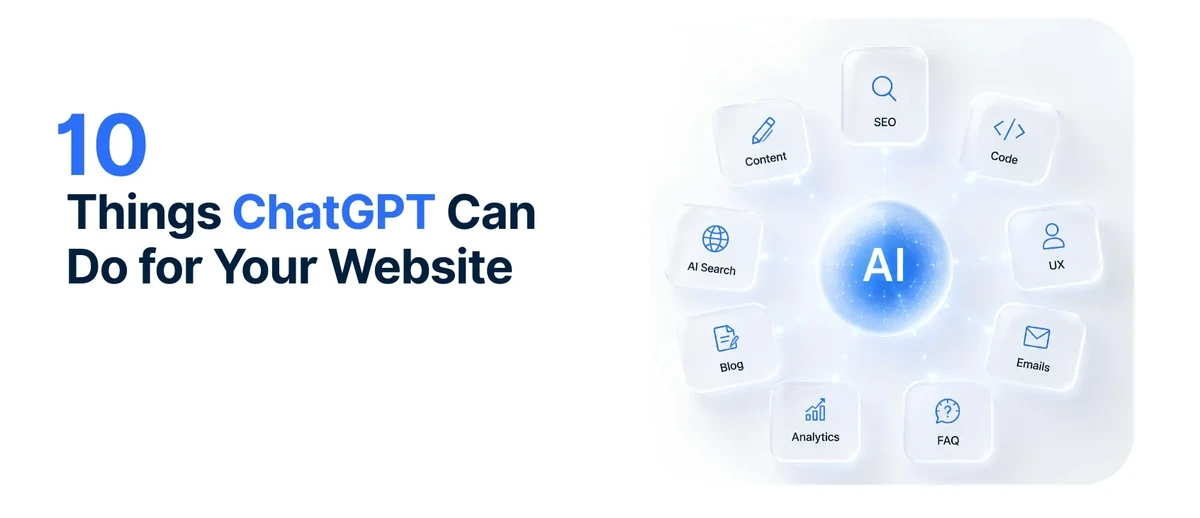
Related: 10 Things ChatGPT Can Do for Your Website — writing content is just the start. Here are 9 more ways ChatGPT can help your site.
The Golden Rule of AI Prompts: Be Specific
The difference between useless AI output and useful AI output comes down to one thing: how specific your prompt is.
Bad prompt: “Write my About page.”
ChatGPT has no idea who you are. It writes a generic template that could be anyone — full of phrases like “passion for excellence” and “committed to quality” that mean nothing.
Good prompt: “I run a family-owned plumbing company in Austin, Texas, serving South Austin since 2015. We specialize in emergency repairs, water heater installation, and drain cleaning. Write an About page (150–200 words) that tells our story, emphasizes our local roots, and makes homeowners feel they can trust us. Use a warm, conversational tone — not corporate.”
That prompt gives ChatGPT everything it needs: what you do, where, who you serve, how long, what tone, and what length. The output will be ten times better.
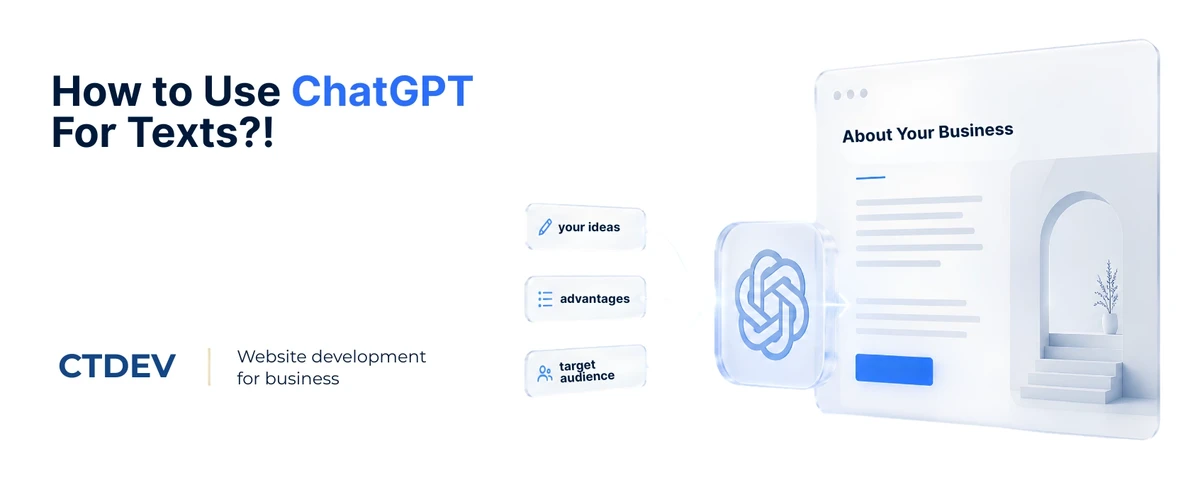
Every prompt template in this post follows the same formula: what you do + where + who you serve + how long + what tone + what length = a useful first draft.
Copy-Paste Prompt Templates for 5 Page Types
Here are ready-to-use prompts for the five pages every website needs. Copy each one, fill in the brackets with your details, and paste it into ChatGPT.
1. About Page
“I run [business type] in [city/region] called [business name]. We’ve been serving [target customer type] since [year]. Our specialties are [list 3–5 services]. What makes us different is [unique selling point — e.g., same-day service, family-owned, 20 years experience, fair pricing]. Write an About page (150–200 words) in a [warm/professional/casual] tone that tells our story and makes [target customer] feel they can trust us. Don’t use the words ‘passion,’ ‘excellence,’ or ‘quality’ — just describe what we actually do.”
The “don’t use” list matters. ChatGPT loves corporate buzzwords — “passion for excellence,” “committed to quality,” “dedicated to serving.” Banning those words forces it to write specific, real content instead of empty phrases.
2. Service Description
“Write a description for my [service name] service page. We are a [business type] in [city]. This service is for [who needs it — e.g., homeowners with recurring drain problems]. Here’s what’s included: [list what’s included in the service]. The main benefit to the customer is [benefit]. Write 100–150 words in [tone]. Include a sentence at the end that says ‘Call [business name] at [phone] or [contact action] to schedule.’ Don’t use bullet points — write in paragraphs.”
3. Homepage Headline
“I need a headline for my website homepage. My business is [business name], a [business type] in [city]. My target customer is [describe customer]. The main reason people choose us is [reason]. Write 5 headline options that are: short (under 10 words), clear (no jargon), and make the reader want to learn more. No puns, no clever wordplay — just clear and direct.”
Ask for 5 options, not 1. ChatGPT’s first suggestion is rarely the best. Getting 5 lets you pick the one that feels right, or combine elements from two different options.
4. Contact Page
“Write the text for my website’s Contact page. My business is [business name] in [city]. We offer [list services]. Our hours are [hours]. Customers can reach us by [phone/email/form]. Write a short intro paragraph (50–75 words) that makes it easy and inviting to contact us. Then list what to include after the contact form: [phone, email, hours, service area]. Keep it simple and direct.”
5. FAQ Section
“Write 5 frequently asked questions for my [business type] website. I’m a [business type] in [city] serving [target customer]. Common questions my customers ask are [list 3–5 real questions you’ve heard]. Write each question and a 2–3 sentence answer in a [tone] voice. Make the answers specific to my business — not generic advice that could apply to anyone.”
Use real questions you’ve actually heard from customers. The best FAQs come from real interactions. If ChatGPT generates a question you’ve never been asked, delete it — it’s not useful to your visitors.
Before and After: AI-Generated vs Edited
Here’s what ChatGPT actually produces, and what it looks like after a human edits it.
Before (raw ChatGPT output):
“Welcome to Smith Plumbing, where our passion for excellence drives everything we do. With years of experience serving the Austin community, we are committed to delivering quality plumbing solutions tailored to your needs.”
After (human-edited):
“Smith Plumbing has been fixing leaks, installing water heaters, and clearing drains for South Austin homeowners since 2015. Call us at 2am if your water heater breaks — we answer.”
What changed? Buzzwords were removed (“passion for excellence,” “committed to quality”). Specifics were added (since 2015, South Austin). Personality was injected (the 2am callout). The edited version sounds like a real person, not a corporate template.
ChatGPT gives you about 70% of the content. Your job is the last 30%: cutting buzzwords, adding specifics, and making it sound like you. That 30% is what makes visitors choose you over a competitor whose website sounds like it was written by a robot — because it was.
Related: Why Your Website Doesn’t Need to Be Complicated — clear, simple content beats clever writing every time. Here’s why.
What NOT to Do with AI-Generated Content
Don’t publish without reading it. ChatGPT can invent facts — hours you don’t keep, prices you don’t charge, services you don’t offer. Read every word before it goes live.
Don’t use it for legal pages. Privacy policies, terms of service, and disclaimers need a lawyer, not ChatGPT. AI can get the general shape right but will miss legal requirements specific to your jurisdiction or industry.
Don’t copy-paste identical content across pages. Each page should be unique. If ChatGPT writes similar content for two pages, rewrite one so they’re different.
Don’t lose your voice. If your style is casual and friendly, don’t let ChatGPT make it sound corporate. Edit for tone. People who know you know how you talk — your website should match.
Don’t skip the specifics. ChatGPT tends to write generic content. Your job is to inject the details only you know: your service area, your years of experience, your specific differentiator. The specifics are what make the content yours.
The 30-Second ChatGPT Content Check
Before you publish any AI-generated page, answer these five questions:
- I read every word and verified all facts, prices, hours, and service claims
- I removed at least one buzzword or generic phrase ChatGPT included
- I added at least one specific detail only I would know (service area, years, differentiator)
- The page sounds like me when I talk to people, not like a corporate template
- I did not use AI for legal pages (privacy policy, terms of service)
If you can’t check all five, go back and edit. The difference between AI content that helps you and AI content that hurts you is entirely in the editing.
FAQ
Will Google penalize my website for using AI content?
Google’s official guidance is that they reward helpful, people-first content — regardless of how it’s produced. They don’t penalize content simply for being AI-generated. However, they do penalize low-quality content: thin, generic, unhelpful text that exists only to fill space. If you use ChatGPT to write a first draft and then edit it to be specific, useful, and accurate, you’re fine. If you copy-paste raw AI output without editing, it probably won’t rank — not because it’s AI, but because it’s generic. Read more about why websites don’t show up on Google →
Can ChatGPT write my entire website?
It can write a first draft of every page — but “first draft” is not “finished.” You’ll need to edit for accuracy, add specifics only you know, and make sure each page sounds like you. Plan on spending 1–2 hours editing after ChatGPT generates the content. The time savings are still enormous (hours instead of weeks), but don’t expect a publish-ready website from a single prompt.
Is AI-generated content as good as hiring a professional copywriter?
For a first draft, ChatGPT is surprisingly good. For final polish, a professional copywriter brings experience, brand voice, and strategic messaging that AI can’t match. The honest answer: if budget allows, hire a copywriter. If budget is tight, ChatGPT plus your own editing is far better than no content at all — or placeholder text that never gets replaced. Most websites have content that’s worse than what ChatGPT would produce, simply because no one ever found time to write it.
What’s the best ChatGPT prompt for website content?
The best prompt includes: what you do, where you’re located, who you serve, how long you’ve been doing it, what tone you want, what length you need, and what words to avoid. The more specific your prompt, the better the output. “Write my About page” gives you garbage. “I run a family-owned bakery in Portland since 2018, specializing in custom wedding cakes. Write a 150-word About page in a warm, personal tone. Don’t use ‘passion’ or ‘quality’” gives you something you can actually work with.
Bottom Line
ChatGPT won’t replace your knowledge of what you do — but it will get you from a blank page to a first draft in minutes. Edit for accuracy, add your specifics, and you’ll have website content that sounds like you, not like a robot.
Writing your own content with AI help also keeps your project cost down — every hour you spend writing is an hour you’re not paying someone else to do it. Read more about what a website costs →
Have your content ready? We’ll build you a website that showcases it beautifully. See our design process →