TL;DR
- Your website probably does not need a database, a dashboard, plugins, or regular security patches. Most sites are over-engineered.
- Simpler websites — pre-built files with no moving parts — load 3 to 5 times faster than WordPress sites, are inherently more secure, and cost far less to host.
- There is almost no maintenance after launch: no updates to install, no plugins to patch, and no security alerts to monitor.
- The trade-offs are limited interactivity (no user accounts or comments) and a different content-update workflow, which modern tools have made simple.
- CTDev builds exclusively with this approach because it delivers the best real-world results for the people we serve.
What Is a Simpler Website, Really?
If you are researching website options, you have probably come across the term “static website.” It sounds technical and maybe even outdated. In reality, static websites are one of the most modern, reliable, and cost-effective ways to build a presence online.
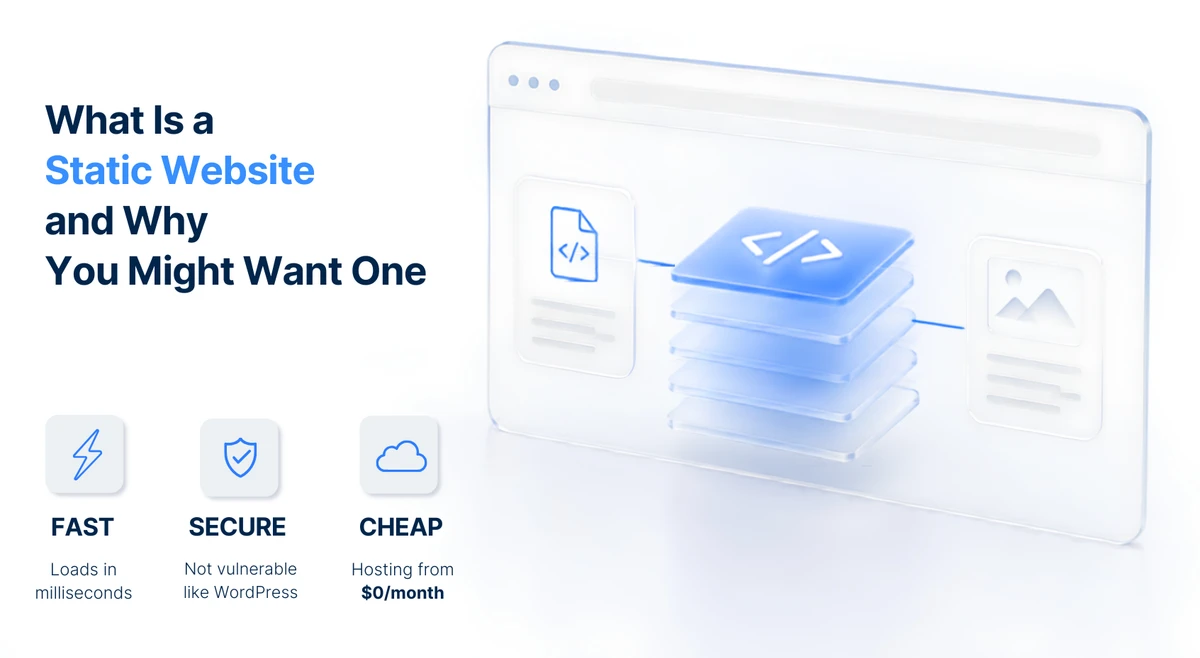
A static website is made up of fixed web pages that are pre-built and stored as individual files on a server. When someone visits your site, the server simply delivers these files to their browser — exactly as they are, with no changes or customizations.
Think of it like a printed brochure. Once it is printed, the content stays the same until you create a new version. Every visitor sees the same information, in the same way, at the same blazing speed.
Static websites are built using:
- HTML for structure
- CSS for styling and design
- JavaScript for basic interactivity (like buttons, animations, or forms)
They do not rely on databases, server-side processing, or complex content management systems. This simplicity is exactly what makes them so powerful.
Related: Why WordPress sites keep breaking — a deep dive into the maintenance and security problems that come with dynamic, database-driven sites.
The Advantages of Static Websites
1. Blazing Fast Speed
Speed is the most immediate advantage of static websites. Because pages are pre-built and do not require any server-side processing or database queries, they load almost instantaneously.
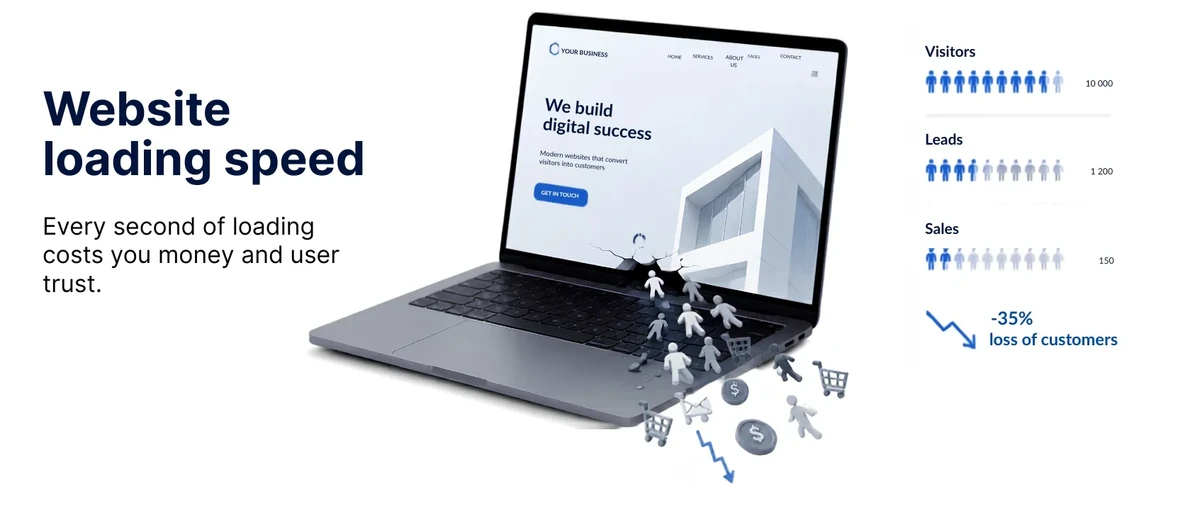
Static websites load 3 to 5 times faster than traditional WordPress sites. When you consider that 32% of visitors will leave a website if it takes more than 3 seconds to load, this speed advantage translates directly into more leads, more inquiries, and better search rankings.
Faster loading means:
- Better user experience for your visitors
- Lower bounce rates (people stay on your site longer)
- Higher conversion rates (more inquiries or sales)
- Better search engine rankings (Google rewards fast websites)
2. Superior Security
Security is a major concern for anyone with an online presence. Static websites are inherently more secure than dynamic ones because they have no database, no login pages, and no server-side code for hackers to exploit.
Common attacks like SQL injection, brute-force login attempts, and malware injection simply do not work on static sites because there is nothing to attack. You do not need to worry about plugin vulnerabilities, theme exploits, database breaches, or regular security patches.
With a static website, your site is essentially unhackable at the server level.
Related: Why your website is always online and loads instantly — how we layer enterprise-grade security on top of an already-secure foundation.
3. Lower Hosting Costs
Because static websites are just files — no databases, no server-side processing — they require minimal server resources. This translates to significantly lower hosting costs.
Managed WordPress hosting typically costs $25 to $100 or more per month. Static websites, on the other hand, can be hosted for free or very affordably on modern platforms, which often offer free tiers with unmetered bandwidth.
Related: How much does a website cost in 2026? — a full breakdown of upfront, hosting, and hidden maintenance costs.
Over a year, that is potentially thousands of dollars in savings.
4. Minimal Maintenance
If you have ever managed a WordPress site, you know the drill: regular updates for the core software, plugins, and themes. Each update carries the risk of breaking something. You need to test, back up, and hope nothing goes wrong.
Static websites are the opposite. Once built, they require almost no maintenance. There are no software updates to install, no plugins to maintain, no security patches to apply, and no database backups to manage. Your live site is pure HTML. With no dynamic software running in production, there are no security patches or server-side dependencies to manage on your public host. This frees you up to focus on what matters.
5. Reliable Performance
Have you ever visited a website and seen the dreaded “Error establishing a database connection” message? That cannot happen with a static website — because there is no database to fail.
Static websites are incredibly reliable. They can handle massive traffic spikes without breaking a sweat because they are just serving files. There is no backend processing that can get overwhelmed.
6. Better SEO Performance
Search engines love fast, reliable websites. Static websites deliver both. Because the content is pre-rendered HTML, search engine crawlers can index your pages instantly without waiting for server-side rendering.
The result? Better Core Web Vitals scores, improved Time to First Byte, and stronger search engine rankings. For anyone who relies on organic traffic, this is a significant competitive advantage.
The Disadvantages of Static Websites
Of course, static websites are not perfect for every situation. Here are the limitations to consider honestly:
1. Content Updates Work Differently
With a traditional static website, every change requires updating the HTML files and re-uploading them to the server. You cannot simply log into an admin panel, type some text, and click “publish” like you would with WordPress.
However, this is where modern static site generators come in. Tools like Astro allow developers to write content in simple formats and automatically generate the static HTML files — making content updates much easier than they used to be. At CTDev, we handle all content updates for our clients as part of our service, so this limitation rarely affects people in practice.
2. Limited Built-In Interactivity
Static websites cannot natively support complex features like user logins, member accounts, comments sections, or real-time updates. If you absolutely require these features, a static site might need third-party integrations to handle them.
For the vast majority of websites — brochure sites, portfolios, landing pages, and service pages — this is not a limitation at all.
3. No Drag-and-Drop Dashboard
Unlike WordPress, which gives you a user-friendly dashboard to manage everything, static websites do not come with a built-in visual content management system. This means you will rely on your developer for structural changes.
For many people, this feels like a loss of control at first. But in practice, most sites change only monthly or quarterly — and having a professional handle those changes ensures they are done correctly, quickly, and without breaking anything.
When Should You Choose a Static Website?
Static websites are ideal for:
- Brochure Sites — If your website primarily provides information about what you do, a static site is perfect. It works 24/7 without any intervention.
- Portfolios — Artists, designers, photographers, and other creatives showcase their work beautifully with static websites. The focus stays on the visuals.
- Landing Pages — For marketing campaigns or product launches, speed is critical. Static landing pages load instantly and convert better.
- Local Service Sites — If you run a local shop, restaurant, or service company, your website likely does not need frequent changes. A static site with your hours, location, and contact information is all you need.
- Documentation and Reference Sites — Technical documentation and knowledge bases work exceptionally well as static sites.
- Personal Websites and Resumes — A simple, clean online resume or personal brand site is a perfect use case.
Static vs WordPress: A Head-to-Head Comparison
Here is how the two approaches stack up across the dimensions that matter most to people.
Speed — Static sites deliver pre-built files instantly because there is no database to query and no PHP code to execute. WordPress generates pages on the fly, which makes it three to five times slower.
Security — Static sites have no database, no admin login, and no server-side code for attackers to exploit. WordPress requires constant plugin, theme, and core updates to stay secure. Miss one update and your site becomes vulnerable.
Hosting cost — Static sites run on minimal infrastructure and can be hosted for free on modern platforms. Managed WordPress hosting typically costs $25 to $100 or more per month.
Maintenance — Once built, a static site requires almost no upkeep. There are no software updates, plugin conflicts, or security patches. WordPress demands regular attention: updates, backups, and compatibility testing.
Content updates — WordPress wins here. Its admin dashboard lets non-technical users edit pages easily. Static sites traditionally required a developer, though modern tools and developer services now bridge this gap completely.
Interactivity — WordPress supports user accounts, comments, e-commerce, and complex plugins out of the box. Static sites handle forms and basic interaction through lightweight third-party services.
Scalability — Static sites serve files from a global content delivery network, so traffic spikes never strain a single server. WordPress can buckle under heavy load unless you pay for upgraded hosting.
Learning curve — WordPress is built for non-developers. Static sites historically required technical knowledge, though modern static site generators and headless CMS options have changed this significantly.
Can You Migrate an Existing WordPress Site to a Static Site?
Absolutely. And many people are doing exactly that.
There are tools available that can convert your entire WordPress site into a fully static HTML website — eliminating PHP, databases, and server-side dependencies. The result is a website that loads faster, is more secure, costs less to host, and requires minimal maintenance.
This is becoming an increasingly popular option for people who want to keep their existing content but upgrade their performance and security.
The process typically involves:
- Exporting your WordPress content
- Generating static HTML files
- Deploying the static files to a new hosting provider
Your WordPress site can remain as a private “backend” for content editing, while the public-facing version is purely static.
Related: Why WordPress sites keep breaking — if you are frustrated with maintenance, here is why the problems keep happening.
The Modern Approach: Static Sites with a Headless CMS
One of the most common concerns about static websites is content management. “How do I update my site if I cannot log into a dashboard?”
The answer is a headless CMS.
A headless CMS separates content management from content delivery. You manage your content through a user-friendly interface, but instead of generating pages on the fly, it feeds content to a static site generator that builds your entire site as static HTML files.
This gives you the best of both worlds:
- Easy content management for non-technical users
- Lightning-fast, secure, static website delivery
It is a modern approach that is gaining popularity among people who want performance without sacrificing usability.
Is a Static Website Right for You?
To help you decide, ask yourself these questions:
Choose a static website if
- ✅ Your content does not change frequently
- ✅ Speed and performance are priorities
- ✅ You want to minimize security risks
- ✅ You want to reduce hosting and maintenance costs
- ✅ You need reliable performance, even during traffic spikes
- ✅ You are building a portfolio, brochure site, landing page, or local service site
Stick with WordPress (or another CMS) if
- ❌ You need frequent, easy content updates from non-technical staff
- ❌ You require user accounts, comments, or complex e-commerce functionality
- ❌ You need advanced interactivity and personalization
- ❌ You rely heavily on plugins for functionality
Consider a hybrid approach if
- You love WordPress for content management but want static performance
- You are willing to keep WordPress as a private backend while serving static files publicly
Why Every CTDev Site Is Simpler (And Better for You)
At CTdev, we do not just build websites — we build online foundations for your brand. We chose static technology as our core approach because it consistently delivers the best real-world outcomes for the people we serve.
By combining static-site architecture with Cloudflare’s global hosting network, we offer our clients:
- Speed that converts — sub-second load times on every device
- Security by design — no plugins to hack, no databases to breach
- Costs that make sense — free hosting, zero maintenance subscriptions
- Reliability you can trust — your site stays online even during traffic surges
We handle the technical complexity so you do not have to. Whether you need a brand-new static website or want to migrate your existing WordPress site to a faster, more secure static solution, we can help.
Our goal is simple: deliver unique, high-performing websites that help you succeed.
Final Thoughts
The web has changed. Speed, security, and reliability are no longer nice-to-haves — they are essential for success online. Static websites deliver all three, often at a fraction of the cost and complexity of traditional CMS-based sites.
If your website is essentially a digital brochure or portfolio — something that presents information without needing complex interactivity — a static website is likely the smartest choice you can make.
And if you are currently struggling with a slow, insecure, or expensive WordPress site, migrating to a static solution could transform your online presence.
Ready to make the switch?
Takes 3 minutes. No commitment. We reply within 3 business days.