It is Monday morning. You have just poured your first coffee, ready to tackle the week. A hot lead is waiting for your proposal, so you grab your phone to send them a link to your portfolio. You tap the link. It loads… and loads… and then — blank screen. Your heart sinks. You refresh. Nothing. Your booking form is dead, your contact page is a white void, and within minutes, your phone starts buzzing. Not with new orders, but with confused visitors asking if you are still around.
If this scene makes you wince, you are not alone. And I am about to tell you exactly why this keeps happening — and more importantly, how to make sure it never happens again.
TL;DR
- WordPress sites break because of plugin conflicts, missed security updates, theme incompatibilities, and hosting resource limits.
- Every plugin you add increases the chance that two pieces of code will fight each other.
- Updates are mandatory for security, but updates are also the most common cause of crashes.
- The only way to eliminate these problems is to remove the complexity entirely — which is what static sites do.
Why WordPress Breaks
WordPress powers over 40% of the web. It is flexible, beginner-friendly, and has a plugin for everything. But that flexibility comes at a price: fragility.
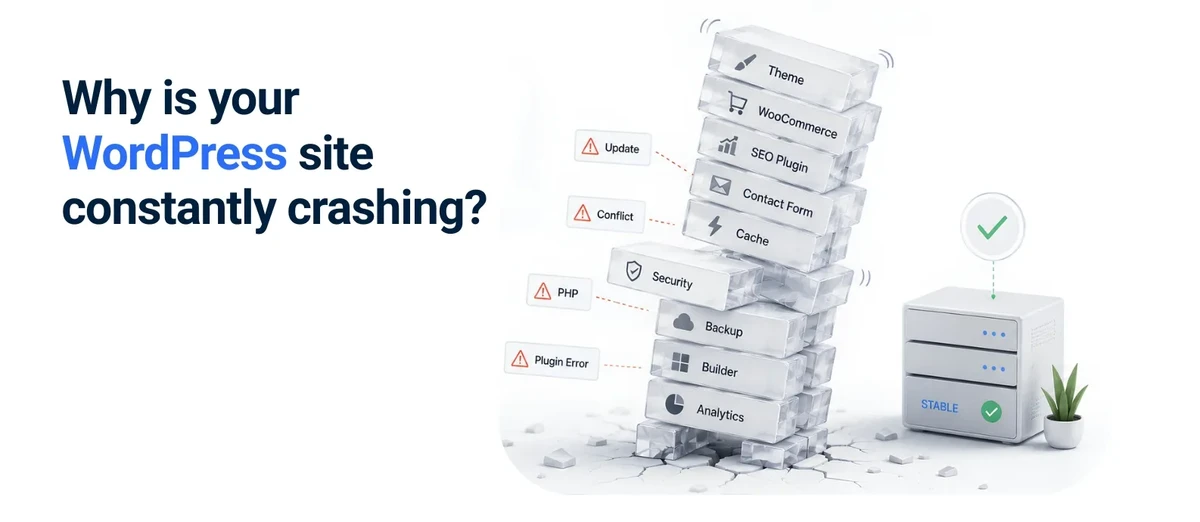
Think of your WordPress site like a busy restaurant kitchen. You have the head chef (the WordPress core), a dozen line cooks (your plugins), and a sous-chef (your theme). Everyone has their own way of doing things. Now imagine if every single cook updated their recipes on different days, without telling anyone else. Chaos, right?
That is exactly what is happening under the hood of your site.
Plugin Conflicts: When Your “Helpers” Turn on Each Other
The average website runs between 10 and 20 plugins. Each one is a piece of software written by a different developer, with different coding styles, different update schedules, and different ideas about how things should work.
Individually, they are great. But together? They are like hiring five independent contractors to remodel your storefront — without them ever sharing a blueprint. One wants to move the door, another wants to knock down a wall, and suddenly, the whole structure caves in.
That plugin conflict does not just cause a technical error. It means your checkout page stops working on a Friday afternoon. It means your lead capture form goes offline during your busiest day. It means you are paying a developer €100–€200 to untangle a mess that never should have happened in the first place.
Common troublemakers:
- Page builders (Elementor, WPBakery, Divi)
- Caching plugins (W3 Total Cache, WP Super Cache)
- SEO plugins (Yoast, Rank Math)
- E-commerce plugins (WooCommerce and its extensions)
- Contact form plugins (Contact Form 7, WPForms)
Many sites run 10–20 plugins. That is 10–20 opportunities for a conflict.
The Update Treadmill
When was the last time you actually wanted to update your website?
If you are like most people, you dread it. Because you know that clicking that “Update Now” button is like playing Russian roulette with your online presence.
Here is what happens:
- WordPress core updates (security patches, new features)
- Your theme updates (design tweaks, compatibility fixes)
- Every single plugin updates (some weekly, some monthly, some whenever the developer feels like it)
And here is the kicker: these updates do not happen on the same schedule. The core might update on a Tuesday, your booking plugin on a Thursday, and your theme on a Saturday. Each one is written for a specific version of the others. If you update one without checking the others — or worse, if you let them auto-update — you are inviting a collision.
You are not just paying for the updates themselves (which are “free”). You are paying for the time it takes to test, troubleshoot, and fix the fallout. You are paying for the developer you have to call at 6 PM because your site went down right before the end of the day. And you are paying for the lost sales during those precious hours of downtime.
Security Vulnerabilities
This one stings because it is so avoidable. WordPress is the most attacked content management system on the internet. Not because it is insecure by design — but because its popularity makes it a goldmine for hackers.
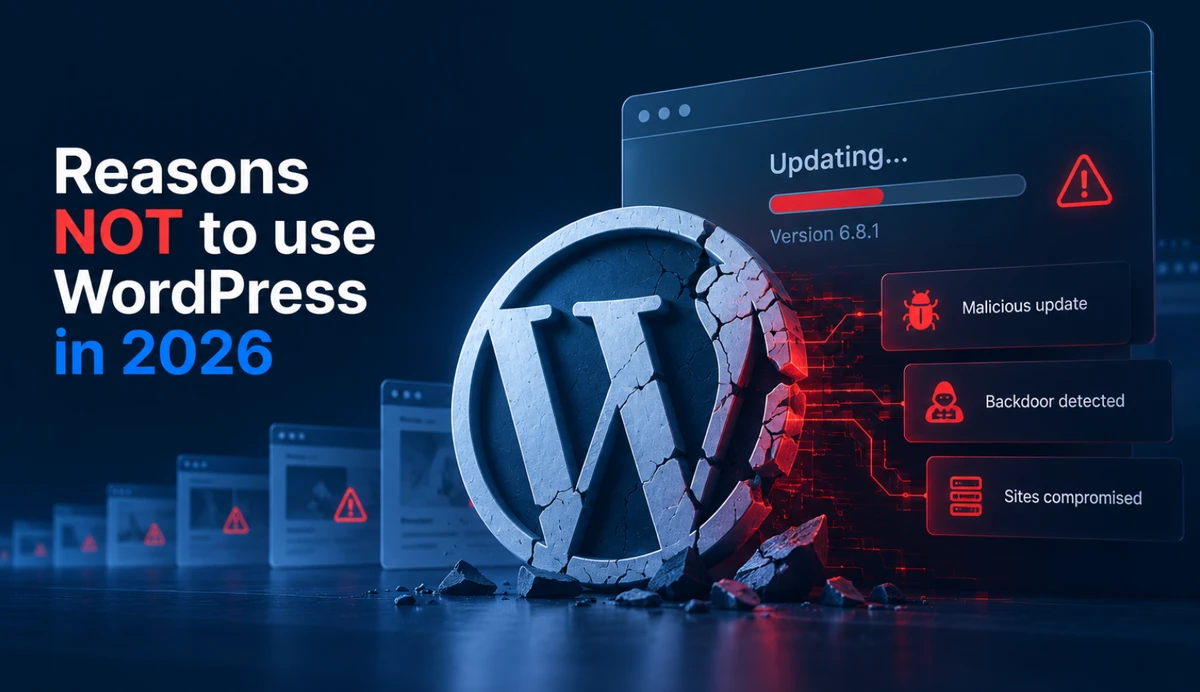
Every plugin you install is a potential backdoor. Every theme you try is a possible vulnerability. And the moment you stop updating something — even for a month — you become a target.
Automated bots scan the internet 24/7 looking for outdated WordPress sites. When they find one, they do not just deface it. They inject malicious code that redirects your visitors to scam sites. Google blacklists compromised sites. Your emails start landing in spam. Your search rankings evaporate.
Cleaning a hacked WordPress site costs €200–€500, sometimes more. Prevention is cheaper, but prevention requires constant vigilance.
Hosting Limits
Cheap shared hosting — the kind marketed at €3–€8 per month — crams hundreds of websites onto one server. When a neighbor site gets a traffic spike or runs a heavy plugin, your site slows down or times out. The hosting company may throttle you or suspend your account for “resource overuse.”
The Real Cost of Breakage
When your site breaks, you pay in three currencies:
Money — A single hour of downtime can cost anyone $300–$5,000 in lost revenue, depending on your industry and traffic volume. That is not counting the $150–$300 per hour you will pay an emergency developer to fix it at 11 PM. Research shows that over 1 in 10 people lose revenue every single month due to website performance or outages, averaging over $20,000 per year in missed opportunities.
Time — Hours spent troubleshooting, communicating with developers, restoring backups, explaining to visitors why your booking form is down. Time you could have spent on other things.
Trust — Visitors who see a broken site, error pages, or slow loads leave and rarely return. Google notices too.
If you rely on your website for leads or bookings, even a single day offline can mean lost revenue that exceeds the entire annual hosting cost. Your “cheap” WordPress site with a free theme and a handful of plugins could actually be the most expensive part of your entire operation.
Related: How much does a website cost in 2026? — a full breakdown of upfront, hosting, and hidden maintenance costs.
What You Can Do Right Now
If you are stuck with WordPress today, here are the minimum steps to reduce breakage:
- Declutter ruthlessly — Log into your dashboard and scroll through your plugin list. If you have not used a plugin in 6 months, delete it. If you have more than 20 active plugins, you are playing with fire. Every single one is a liability.
- Update in a safe order — Core first, then themes, then plugins — one at a time, with backups. Test your site after each step.
- Use a staging site — Many managed hosts offer one-click staging copies. Test every update there before pushing it live. If your host does not offer this, consider switching. It is that important.
- Set up automated backups — Daily backups to a separate location (not your hosting server). If your site breaks, you are a 15-minute restore away from being back online.
- Install a security plugin — Wordfence or Sucuri provide basic firewall and malware scanning. Think of it as a security guard for your site. It is not foolproof, but it is much better than nothing.
These steps will reduce your risk. But let us be honest: they are band-aids on a bullet wound. You are still managing a complex, interconnected system that is inherently unstable. The only real cure is to change the underlying architecture.
The Alternative: Remove the Moving Parts
A static website has no database. No plugins. No PHP code executing on a server. It is a collection of pre-built files served directly from a global content delivery network.
Because there is nothing to hack, there are no security patches to apply. Because there is no server-side code, there are no plugin conflicts. Because files are cached at edge locations worldwide, hosting limits and neighbor traffic spikes do not affect you.
Here is what that means for you:
- Zero maintenance. No plugins to install. No themes to update. No security patches to apply. Ever. You build it once, it stays built.
- Near-perfect security. Since there is no database and no server-side code, hackers have nothing to exploit. They cannot inject malicious scripts. They cannot brute-force your admin login (because there isn’t one).
- Blistering speed. Static files load in milliseconds. Your visitors do not wait. Google rewards you with better search rankings. Your bounce rates plummet.
- Rock-solid reliability. Your site is not sharing server resources with a thousand other random websites. A traffic spike on your neighbor’s site does not affect yours. You stay online, no matter what.
Related: Why your website is always online and loads instantly — the free global network that hosts static sites with zero monthly cost.
”But I need to update my content”
Do you need to change your content five times a day? For 99% of people, the answer is no. Your “About” page does not change weekly. Your services are stable. Your contact details are fixed.
For occasional content updates — adding a blog post, changing a price, updating a team photo — modern static workflows use a headless CMS. It is a clean, simple interface where you edit your text and upload your images. You click “Publish,” and within seconds, your static site is rebuilt and deployed globally.
You get the same easy editing experience you are used to — but with none of the maintenance headaches.
Related: Why your website doesn’t need to be complicated — a full explainer of how static sites work, what they cost, and whether they are right for you.
Is Your Website a Time Bomb? Take This 30-Second Check
Be honest with yourself:
- ☐ Has your WordPress site broken, crashed, or displayed an error in the last 12 months?
- ☐ Do you hold your breath every time you click “Update” on a plugin?
- ☐ Have you ever paid for an emergency fix outside of normal hours?
- ☐ Do you secretly worry that your site might get hacked?
- ☐ Does your site load slowly, especially on mobile?
If you checked even one of these boxes, your website is actively costing you more than you realise. It is draining your cash, wasting your time, and quietly eroding the trust of your visitors.
You do not have to live like this. There is a better way.
Bottom Line
If your WordPress site has broken more than once in the past year, you are paying a maintenance tax that most people cannot afford — in money, time, and stress.
The question is not whether you can afford to fix the next breakage. The question is whether you can afford the next breakage itself — the lost leads, the embarrassed explanations, the hours spent on something that should just work.
For many people, the smarter move is not better WordPress maintenance. It is leaving WordPress behind.
Ready for a website that just works?
Takes 3 minutes. No commitment. We reply within 3 business days.